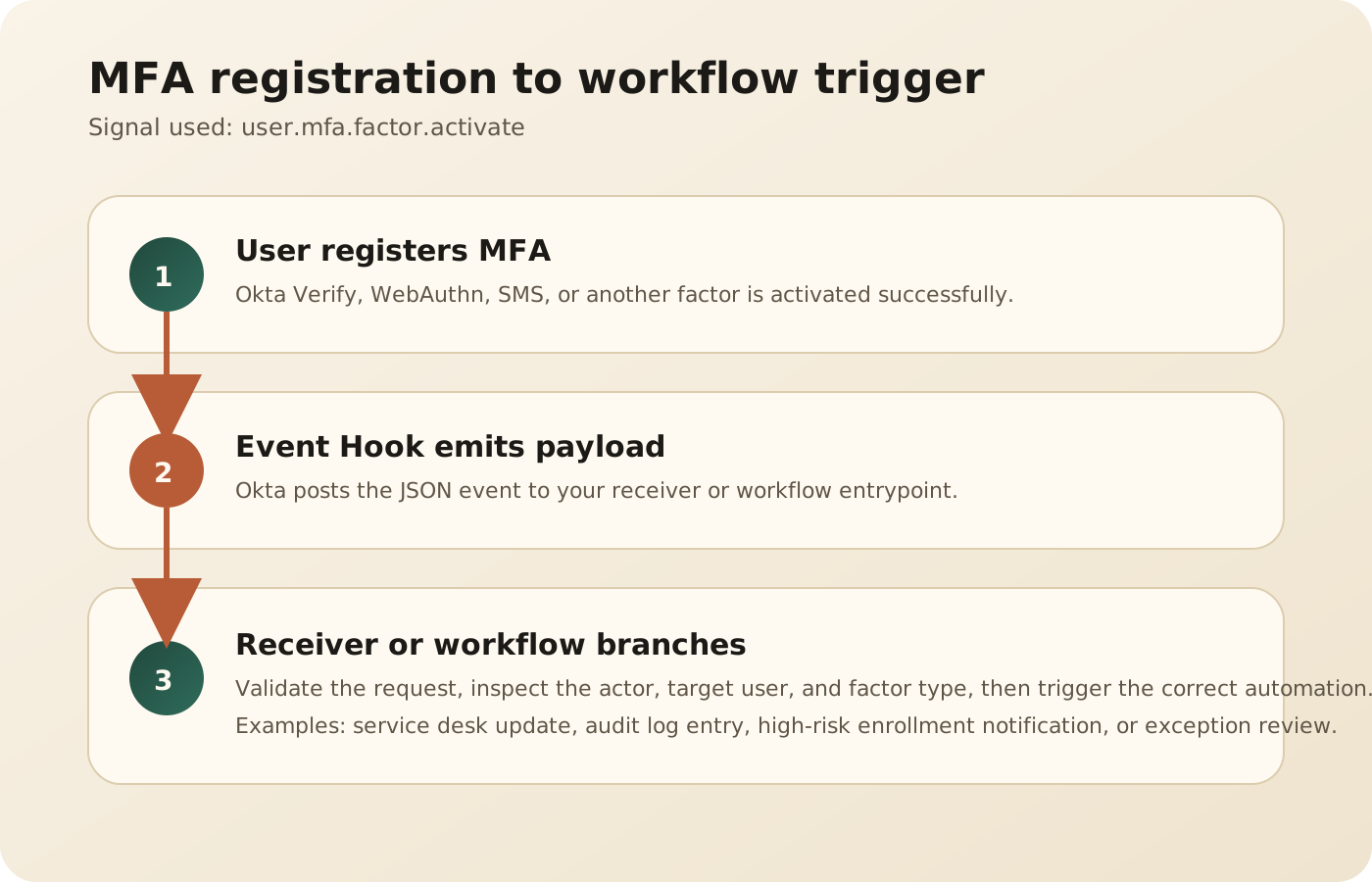
Okta can push MFA enrollment signals out of the platform without polling the System Log. The useful trigger for this pattern is the event-hook-eligible event user.mfa.factor.activate, which fires when a factor is activated and, in Identity Engine orgs, when an authentication method is enrolled.
Why this pattern matters
This is useful when MFA registration itself needs a downstream action. Typical cases include:
- sending a privileged-user registration event to a security operations queue
- updating an internal access review or exception register
- marking a migration checkpoint complete after a user enrolls a required authenticator
- triggering a follow-up workflow for device trust, group changes, or communications
The key point is that the MFA enrollment event is not the workflow itself. It is the signal that starts the workflow.
The event to subscribe to
In Okta’s event catalog, the event to use is:
user.mfa.factor.activate
For Identity Engine orgs, Okta documents that this event fires when an authentication method is enrolled. That makes it the most direct choice when your requirement is “trigger something after MFA is registered.”
Implementation shape
There are two practical models:
- Send the Event Hook to a lightweight receiver service, then call downstream systems from that service.
- Send the Event Hook to an integration layer that passes the payload into an automation flow or a workflow orchestration component.
The receiver should do a few things immediately:
- verify the hook request
- parse the event payload and identify the user and factor
- ignore duplicates safely because hooks are asynchronous
- branch based on factor type, user population, or group membership
- hand off to a durable workflow if additional systems must be updated
What to extract from the payload
The exact branch conditions differ by org, but these are usually the high-value fields:
- user identity
- factor or authenticator type
- actor versus target user
- timestamps for audit correlation
- environment context if you separate admin-driven and end-user-driven enrollment
That gives enough context to decide whether the enrollment was expected, who performed it, and what system should react next.
Official Okta References
For the actual Admin Console flow, use Okta's setup documentation directly:
That is a better reference than a recreated screenshot because the UI changes over time, while the setup sequence stays documented by Okta.
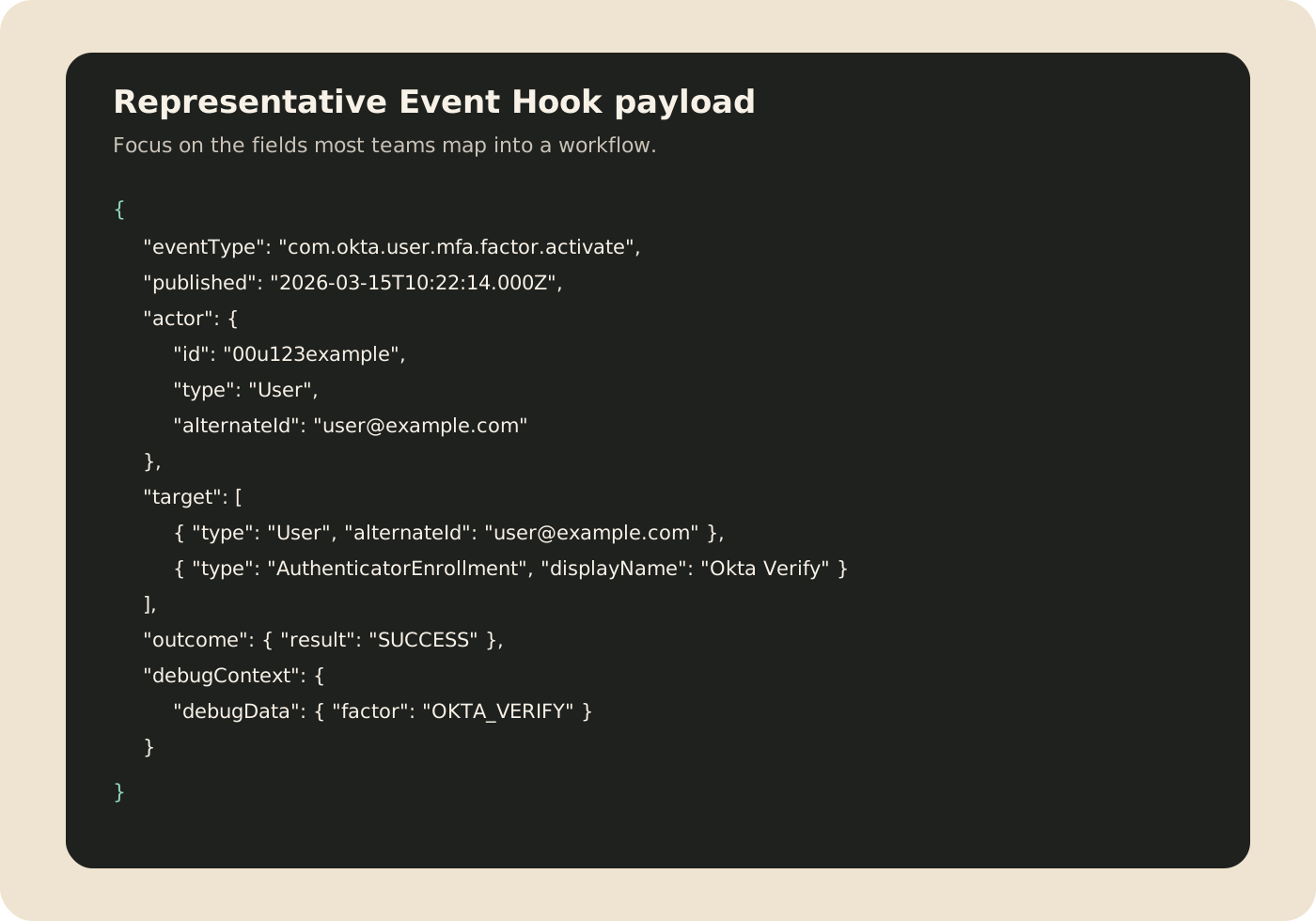
Representative payload object
When the hook is delivered, the receiver or workflow normally works from the event object itself. A representative payload shape looks like this:
{
  "eventType": "com.okta.user.mfa.factor.activate",
  "published": "2026-03-15T10:22:14.000Z",
  "actor": {
    "id": "00u123example",
    "type": "User",
    "alternateId": "user@example.com"
  },
  "target": [
    {
      "type": "User",
      "alternateId": "user@example.com"
    },
    {
      "type": "AuthenticatorEnrollment",
      "displayName": "Okta Verify"
    }
  ],
  "outcome": {
    "result": "SUCCESS"
  },
  "debugContext": {
    "debugData": {
      "factor": "OKTA_VERIFY"
    }
  }
}
The exact payload can vary by factor and org configuration, but this is the shape most teams care about when branching a workflow.
A concrete workflow example
One reliable enterprise pattern looks like this:
- A user enrolls Okta Verify or another factor.
- Okta emits
user.mfa.factor.activate. - The Event Hook posts the payload to your receiver endpoint.
- The receiver checks whether the user is in a privileged or high-risk population.
- If yes, it creates a service ticket, logs the event to your audit store, and sends a follow-up notification.
- If no, it stores the event for reporting and exits without manual action.
That keeps the logic focused on operational outcomes rather than collecting events for their own sake.
Design cautions
The main failure mode is assuming one hook delivery equals one business transaction. Event Hooks are asynchronous notifications. They should be treated as signals, not as the only source of state truth.
A stronger design has:
- idempotency on the receiver side
- replay-safe processing
- correlation with the System Log for audit and investigation
- clear handling for admin-enrolled versus self-enrolled factors
- filtering so noisy enrollment events do not create low-value tickets
When to use Okta Workflows in this pattern
Okta Workflows is useful when the post-enrollment logic spans notifications, simple branching, data enrichment, ticket creation, or integration with a small number of business systems. If the logic becomes stateful, high-volume, or needs deeper error handling, a dedicated receiver service plus workflow orchestration is usually easier to control long term.
The useful architectural question is not “Can Workflows do this?” It is “Should the enrollment event stay in a low-code lane, or does it now belong in an integration service with stronger delivery controls?”